
Subtotal: Rs. 0.00
Cables, Power & Technical Utilities
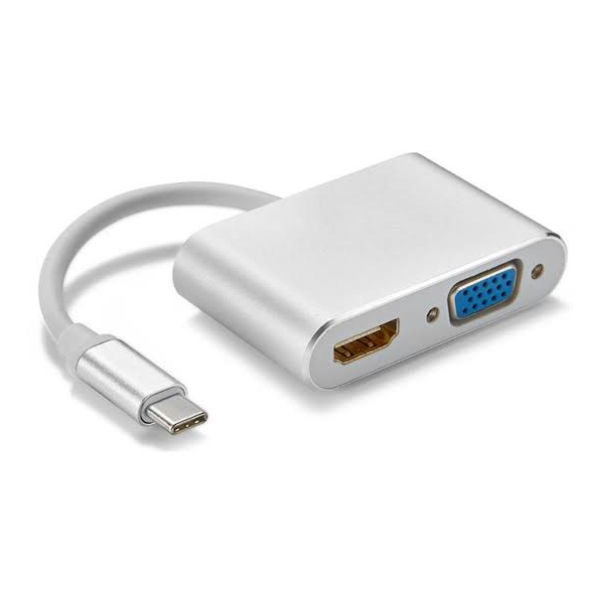
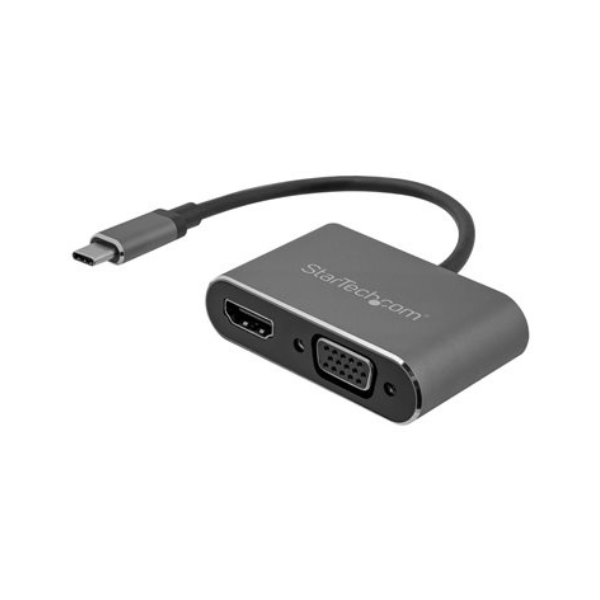
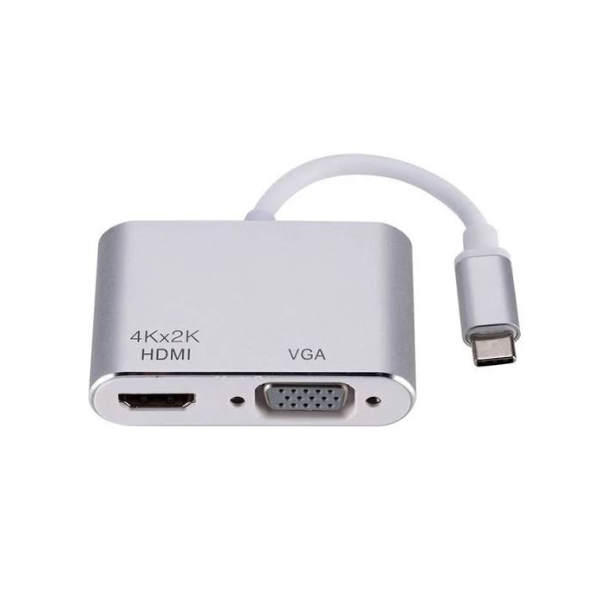
2 in 1 Type C to HDMI+VGA Converter (6M)
Availablity:
In stock
Rs. 4,500.00
For USB 3.1 Type C (DP mode) interface, such as laptop, mobile phone, tablet computer, etc., converted to (VGA +HDMI video) multi-function application output via this transformation line. Specification and function description Working voltage: 5V~20V
SKU: 315654
It can be really confusing for people who are not familiar with the various input and output devices, even though new technologies and methods continue to emerge.
You may encounter situations that require you to change your display technology.
Video signals can be converted between HDMI and VGA in both directions. However, it is important to understand the differences between these connectors before choosing the right solution.
VGA to HDMI Converter
Converting a VGA signal to HDMI requires a converter that transforms the analog VGA signal into a digital HDMI signal while also transmitting audio. The converted signal is then sent through an HDMI cable to a monitor or display.
We have selected one of the best VGA to HDMI converters.
Wide Compatibility
This converter is compatible with older notebooks, laptops, and desktop computers that only feature VGA ports, allowing them to connect to HDMI displays.
HDMI to VGA Converter
An HDMI to VGA converter is an affordable solution for connecting HDMI devices to older VGA displays. Since VGA is an older technology, this connection should generally be considered only when HDMI is unavailable.
HDMI cables carry both audio and video through a single cable, whereas VGA cables transmit only video.
If you require both audio and video, choose a converter that includes a VGA connection along with a separate audio output. The conversion process is similar to VGA-to-HDMI conversion.
We have selected one of the best HDMI to VGA converters.
This HDMI to VGA converter includes a 6-month warranty and offers excellent value. Below are some of its key features.
Stability
It features a built-in IC chip that converts HDMI digital signals into stable VGA analog signals for reliable performance.
Compatibility
The converter is compatible with desktop computers, laptops, notebooks, Chromebooks, Ultrabooks, Xbox consoles, and many other HDMI-enabled devices.
USB Network Adapter
A USB Network Adapter allows you to convert a USB port into an Ethernet port, enabling a wired network or Internet connection without installing an internal network card. It utilizes the high bandwidth of the USB interface to support Ethernet speeds.
No external power supply is required. Simply connect the adapter to a USB port, install the required drivers, and plug in the Ethernet cable.
Here is one of the best USB Network Adapter recommendations from our side.
Technical Specifications
Connectivity
Input Connector: USB Type-C Male
Output Connectors: HDMI Female × 1, VGA Female × 1
Cable Length: 6 m
Video Interface: DisplayPort Alternate Mode (DP Alt Mode) over USB Type-C
Video Output
HDMI Resolution: Up to 3840 × 2160 @ 30 Hz (4K UHD)
VGA Resolution: Up to 1920 × 1200 @ 60 Hz
Display Modes: Single Display or Simultaneous HDMI + VGA Mirror Display
Video Standards: HDMI 1.4, VGA Analog Video
Audio
HDMI Audio Support: Yes (Digital Audio & Video)
VGA Audio Support: No (Video Only)
Performance
Plug & Play: Yes
Driver Requirement: No Driver Installation Required
Signal Transmission: Stable High-Definition Video Transmission up to 6 m
Power
Power Source: USB Type-C Bus Powered
External Power Adapter: Not Required
Power Consumption: Low Power Design
Compatibility
Supported Devices:
- USB Type-C Laptops
- Tablets
- Smartphones with DP Alt Mode Support
- Thunderbolt™ 3 / Thunderbolt™ 4 Devices
Supported Operating Systems:
- Windows®
- macOS®
- Linux®
- ChromeOS®
Physical Specifications
Cable Length: 6 m
Housing Material: ABS Plastic / Aluminum Alloy (Model Dependent)
Color: Black (Model Dependent)
Environmental
Operating Temperature: 0°C to 45°C
Storage Temperature: -10°C to 70°C
Operating Humidity: 10% to 85% RH (Non-Condensing)
Compliance
Certifications: CE, FCC, RoHS
Package Contents
- 2-in-1 USB Type-C to HDMI + VGA Converter (6 m)
- User Manual
Related Products
-
AK 12V 7AH UPS BATTERY (1y)
 Rs.4,600 Add to cart
 -
DIP 1 KVA Online UPS
Rs.69,000 Add to cart